Updating the Seller Central system at Amazon is a seasonal event in its own right. Slowly, then abruptly. One day everything feels the same, and the next, the navigation has changed, the Action Center is in a new place, and the report you saved 3 months ago is behind a new tab.
This type of issue is not just an irritation for sellers who operate with lean teams. It is a disruption that takes time and sometimes leads to errors with serious financial consequences. Ignoring performance reports or misunderstanding inventory reports can lead to listings getting suppressed.
Knowing how to navigate Amazon’s Seller Central workspaces is a continuous learning process and one of the most useful reasons why sellers hire professional help.
Why These Updates Cause More Trouble Than They Should
Amazon doesn’t announce every change with a banner and a tutorial. Sometimes features move quietly. Sometimes an entire section gets redesigned, and the old path still exists for a while, leading somewhere slightly different.
That inconsistency is what gets people. You develop muscle memory for a task, and suddenly that path is wrong. If you’re managing hundreds of SKUs and checking dozens of reports, small friction adds up to a real time drain.
The risk isn’t just inefficiency either. Updates often change where alerts and policy notices appear. If you don’t know where Amazon is hiding a warning, you don’t act on it. And Amazon has a long memory when it comes to unresolved issues.
That’s usually the moment sellers start asking whether their Amazon listing is compliant before Amazon flags it, because by the time a suppression notice lands, the damage is already done.
Before and After Dashboard Transformation
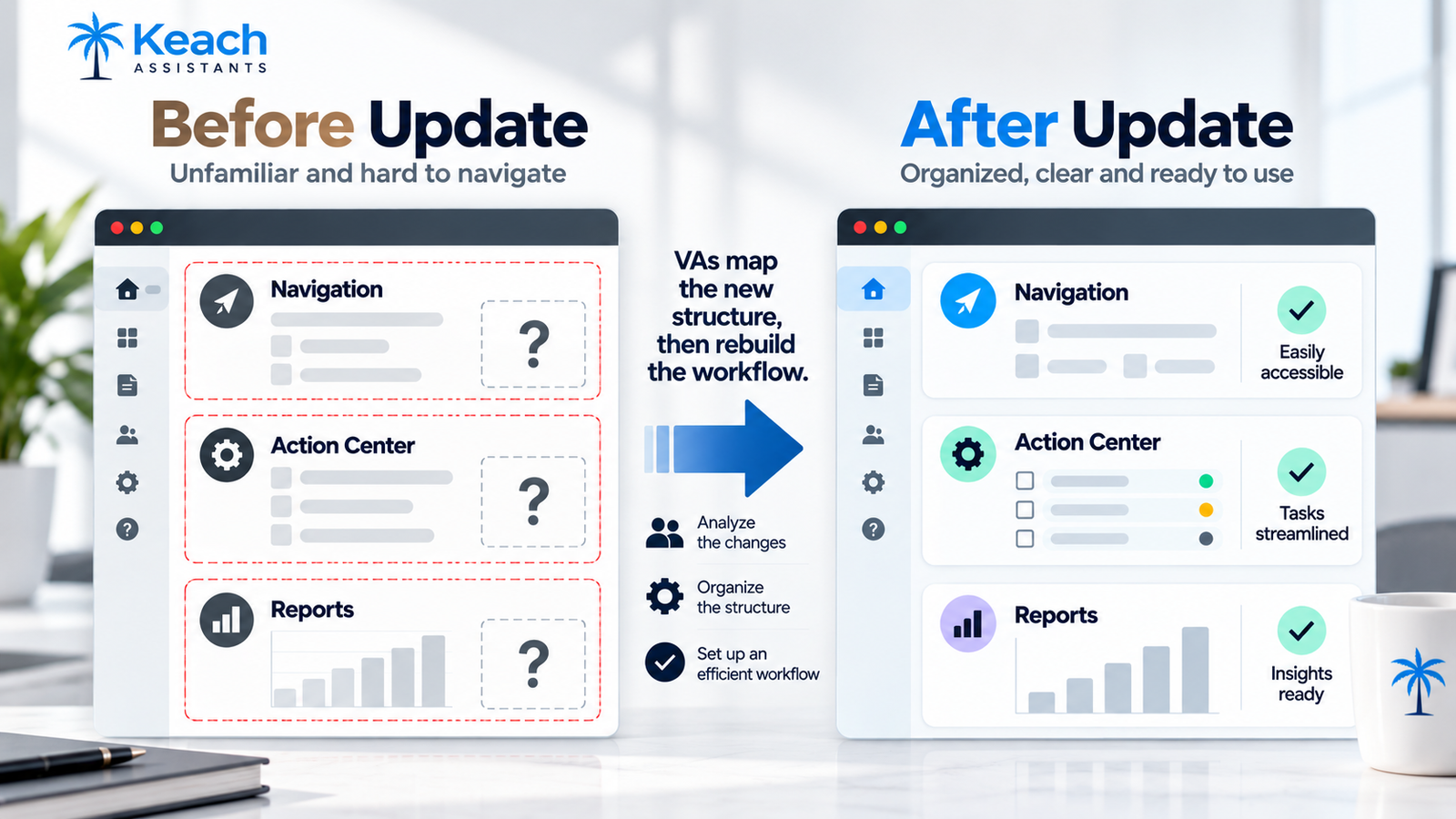
What Actually Changes When a VA Takes Over
A trained assistant doesn’t just click around the new interface. They rebuild the workflow around it. That means mapping where critical items now live. Inventory health, performance notifications, case logs, listing quality alerts. Then documenting the new paths so nothing depends on memory.
It also means watching for silent changes. Professional Amazon listing services often roll out updates region by region or account by account, so two sellers can have different interfaces on the same day. A VA who checks daily notices this before it becomes a problem, which is part of what virtual assistant for Amazon Action Center management actually looks like in practice.
When you hire a VA for the new Amazon seller dashboard, you’re not buying someone to click through menus. You’re buying consistency. Someone who spots a shifted notification, updates the checklist, and keeps the operation running while you focus on sourcing and marketing.
That steadiness pays off most when Amazon’s search behavior shifts too, which is why VAs who understand how to rank for COSMO and Rufus AI search have become genuinely useful rather than just nice to have.
Tired of Chasing Dashboard Updates Every Week?
Keep Seller Central organized, monitored, and current.
Building a Workflow That Survives the Next Update
The smartest approach is to design for change rather than against it.
A resilient Amazon virtual assistant Seller Central workflow optimization strategy usually rests on a few habits. Daily checks of the notification areas, regardless of where Amazon moved them that month. Weekly reviews of listing health across the catalog. A written reference document that gets updated whenever something changes. Clear escalation rules so the seller knows when to step in.
None of this is glamorous, and that’s the point. It’s the kind of routine that makes an update feel like a minor adjustment instead of a crisis. Testing belongs in that routine too. Running structured A/B tests on titles and images takes time, and time is exactly what lean teams don’t have.
That’s why brands hire a virtual assistant to run Amazon A/B testing instead of squeezing it between everything else. Small controlled changes, measured properly, produce answers no amount of guessing can match.
Where VAs Add Value Beyond Navigation
Once the workflow is stable, the real returns show up in the listing itself. Compliance work tends to happen quietly in the background. Flat-file errors, template mismatches, attributes that broke after an update. A VA catches these during routine checks instead of waiting for a warning.
The same discipline applies to creative work, and it’s worth knowing that an Amazon virtual assistant can successfully build and design premium A+ content when they’ve been trained on the templates. The difference between a strong module and a weak one is mostly attention to detail.
Title and highlight fields deserve their own attention. Amazon keeps tightening what belongs where, and how virtual assistants use Amazon’s new title and item highlight rules to double sales comes down to placing decision-making details in the highlight field instead of stuffing them into titles. It’s a small structural change with an outsized effect on click-through rate.
The Practical Case for Handing It Off
Every seller reaches a point where the platform work competes with the business work. Learning a redesigned dashboard, monitoring compliance, running tests, updating listings. Each task is small. Together, they fill a week.
Handing that layer to a trained assistant changes the shape of your calendar. You stop reacting to interface changes and start planning around your catalog. The updates keep coming, but they stop costing you anything. That’s the real benefit. Not that the work disappears, but that it stops landing on your desk.
Conclusion: Consistency Beats Reaction
Amazon will keep updating Seller Central. That’s not going to change. What changes is how much each update affects your operation. Keach Assistants exists for sellers who’d rather have someone already watching than scramble after the fact. From monitoring the Action Center to keeping listings compliant and current, professional Amazon listing services handled by trained VAs turn platform churn into background noise.
Let Updates Happen Without Breaking Your Week
Keach VAs monitor, adjust, and keep your listings moving.
FAQs
Do I need a VA just to keep up with Seller Central changes?
Not always. If you’re selling a small catalog and checking the dashboard daily, you can manage it yourself. The need appears once volume grows and platform work starts competing with the rest of your business.
What does a VA actually do in Seller Central every day?
Typically, they check notifications, review listing health, monitor inventory levels, respond to routine cases, and update any internal documents when Amazon changes something. The exact mix depends on your catalog and priorities.
Can a VA manage flat-file uploads and bulk edits?
Yes, with proper training. Flat-file work requires precision, since one wrong attribute can break an entire variation family. Experienced VAs check templates before uploading rather than after.
How quickly can a VA learn a new dashboard layout?
Usually within a few days, since the underlying structure stays similar even when sections move. The bigger job is updating your workflow documentation so nothing depends on where a button used to be.